
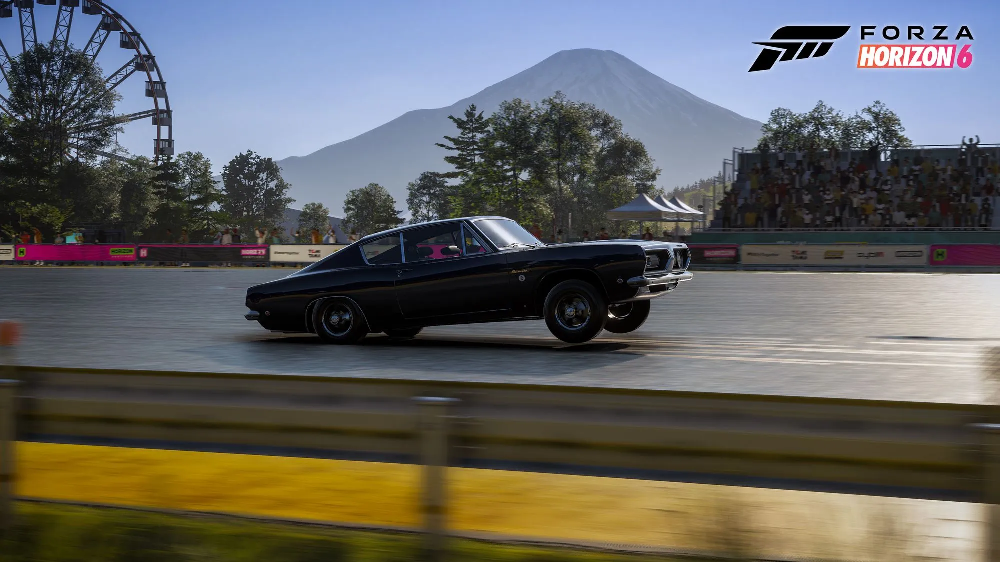
Forza Horizon 6 has recently gone Gold and today Playground Games have confirmed preloading is now available on both Steam and the Xbox App (via purchase or Xbox Game Pass subscription).
PC Features
Forza Horizon 6 is offering the following PC features at launch:
- Uncapped framerates
- Ultrawide Monitor support
- Ray Traced Reflections & Global Illumination (real time for cars & environment)
- “Robust” Controller and Wheel support
- Steam Deck and Xbox ROG Ally support
- Up to 4k HDR Graphics
- PC graphic settings can be changed without restarting the game
- Many graphic settings have live previews
- Real time video and system memory usage data
- DLSS 4, FSR 3+4 and XeSS 2.1 support
- Frame Generation support (including multi gen for RTX 50 Series)
- Benchmark mode
- Full cross-save support
For info on accessibility features, head to the bottom of this article.
Recommended PC Specs
Playground Games have four recommended specification levels for PC and presumably some presets locked and loaded for Steam Deck and the Xbox ROG Ally systems as the game is explicitly supporting PC handhelds.

All versions
Storage consumption: 160 GB (at launch)
OS: Windows 10 22H2 or Windows 11
Minimum – Low 1080p targeting 60 FPS
CPU: Intel i5-8400 or AMD Ryzen 5 1600
GPU: NVIDIA GTX 1650 or AMD Radeon RX 6500 XT or Intel Arc A380
RAM: 16 GB
Storage: SSD
Recommend – High 1440p targeting 60+ FPS
CPU: Intel i5-12400F or AMD Ryzen 5 5600X
GPU: NVIDIA RTX 3060 Ti or AMD Radeon RX 6700 XT or Intel Arc A580
RAM: 16 GB
Storage: SSD
Extreme – Extreme 4K targeting 60+ FPS
CPU: Intel i7-12700K or AMD Ryzen 7 7700X
GPU: NVIDIA RTX 4070 Ti or AMD Radeon RX 7900 XT
RAM: 24 GB
Storage: NVMe SSD
Extreme RT – Extreme with Ray Tracing upscaled 4K targeting 60+ FPS
CPU: Intel i7-12700K or AMD Ryzen 7 7700X
GPU: NVIDIA RTX 5070 Ti or AMD Radeon RX 9070 XT
RAM: 32 GB
Storage: NVMe SSD

Windows 11 Gaming Services Update
The Forza Support team have posted on their website some advice to help Gamers get ready to play the upcoming Forza Horizon 6.
Forza Horizon 6 relies on Gaming Services 36.113.2002 or newer to be installed on Windows 11 to boot up (regardless of storefront the game is downloaded from).
To update and review your version
- Open the Microsoft Store on Windows (Press Windows Key and type Store)

- Click Downloads in the lower left of the Store App.

- Click Check for updates in the top right of the Updates & downloads page.

- Navigate to Gaming Services in the list and click Update.
But, if like me, it shows Open, then you are good to go!

If you click Open (or you may need to double click the Gaming Services block somewhere else), you can double check your version is above 36.113.2002 by scrolling towards the bottom to Additional Information where you will find the version under Installed version.


Good luck, have fun!
Forza Horizon 6 has gone gold, been Verified for Steam Deck, optimised for PC Gaming Handhelds including Xbox ROG Ally & Xbox ROG Ally X, will push your rig to its limits and comes out in less than one week!
The only thing left to do.. is wait! Or, listen to us talk Forza Horizon 6 on the latest episode of 1-Up Checkpoint, our weekly news show, on Spotify or YouTube.



You must be logged in to post a comment.